

Spotify Flow
Integration with Spotify's premium podcast system.
It is possible to listen to locked podcast episodes in Spotify by linking a Spotify account with a Spotify Partner account.
How It Works
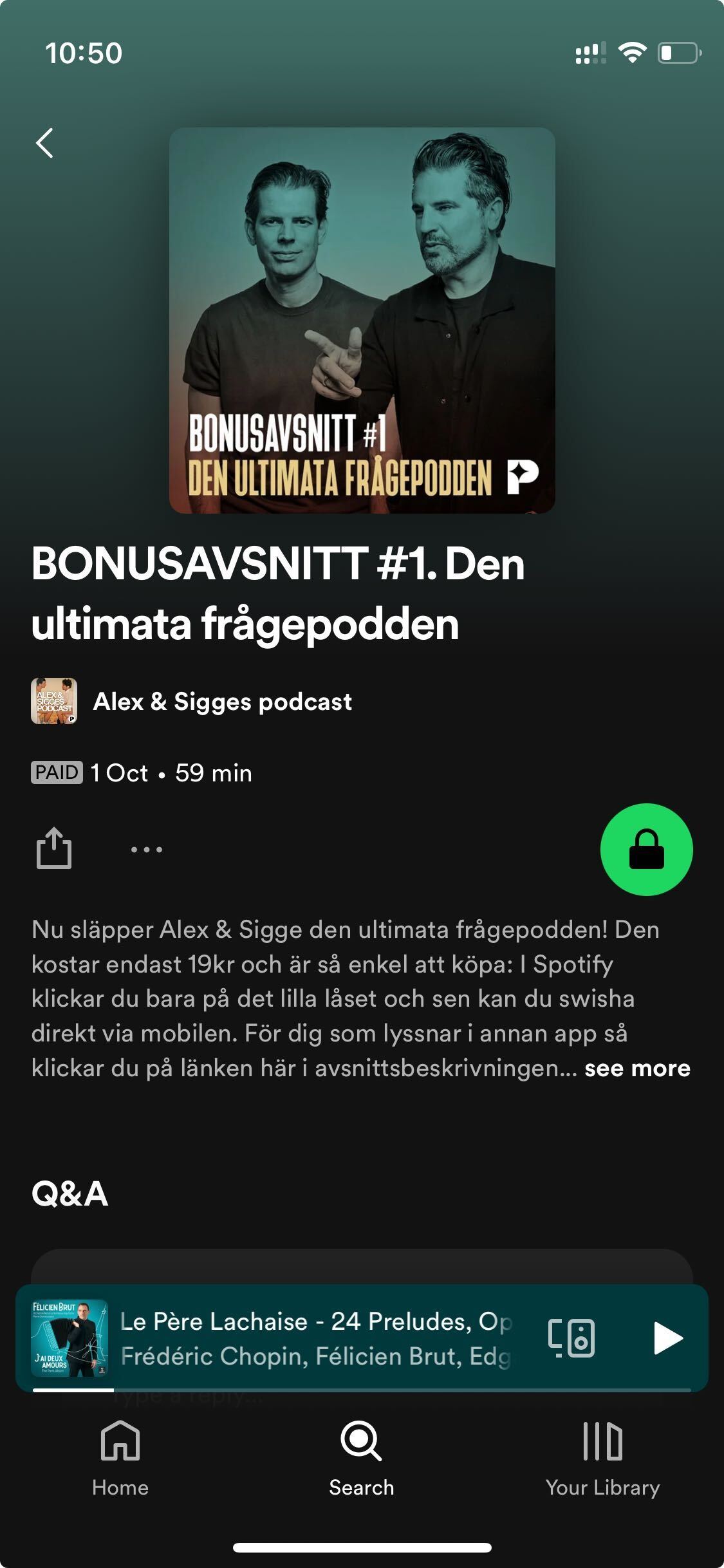
If there is any locked content in Spotify that the user doesn't have access to, they will see a padlock icon in the Spotify app.
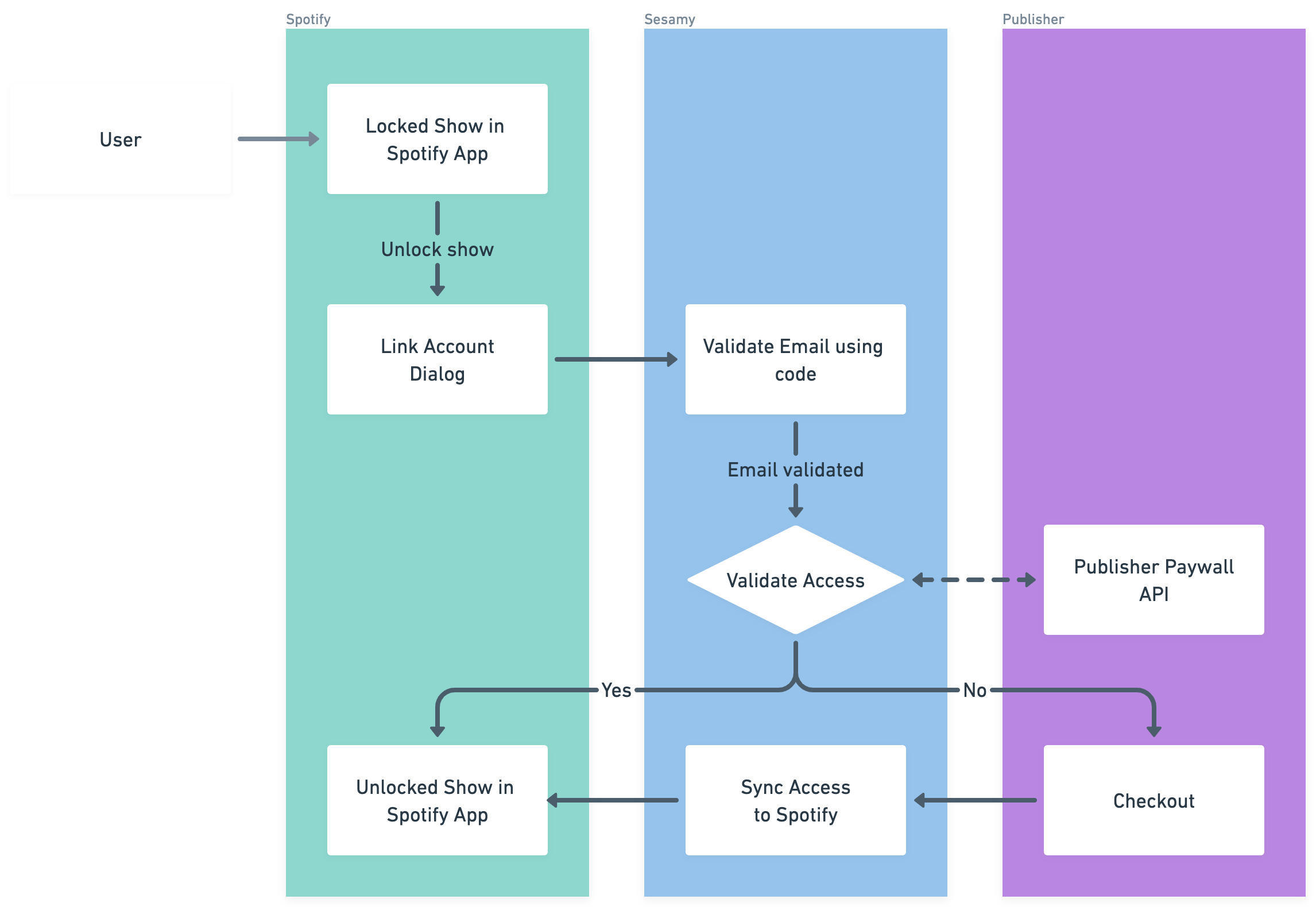
When a user unlocks a premium podcast in the Spotify app, they will be redirected to the Sesamy login page. After logging in, Sesamy validates whether the user has a valid subscription. If they do, the user is redirected back to the Spotify app and can listen to the premium podcast.
If the user does not have a valid subscription, they will either be:
- Redirected to a checkout page
- Redirected to the publisher's website
- Offered the option to purchase the episode as a single purchase
The behavior depends on the settings you've configured.
Subscription-Based Access
Connect your podcast to an existing subscription. When users authenticate, Sesamy will check if they have a valid subscription through your platform and grant access automatically.
Single Purchase / Bundles
You don't have to connect your podcasts to an existing subscription. You can make content available as a one-off payment by linking directly to the Sesamy checkout when users tap on the padlock icon.
You can choose whether the checkout should offer:
- A single purchase option only
- Multiple alternatives such as season passes or bundles
Synced Feeds
Synced feeds is a Spotify feature that pairs your free feed with a separate paid feed and presents them as a single show page. Spotify matches the episodes across the two feeds, hides duplicates, and customises what each listener sees depending on whether they have an active subscription.
For Sesamy publishers, the two feeds are:
- The public feed from your podcast hosting service, which Spotify already indexes
- The premium feed from Sesamy, containing only the locked or bonus episodes
Spotify pairs episodes across these feeds automatically when it is confident in a match, and lets you review or pair the remaining episodes manually. Once paired:
- Non-subscribers see your free episodes, locked premium episodes, and upsells towards your paid offering
- Subscribers see the premium versions of your episodes alongside the free ones
Because the premium feed is matched against your hosting service's public feed, the feed Sesamy provides to Spotify contains only the premium episodes, not the public episodes already available through your hosting service. This differs from the feed Sesamy provides to other RSS clients, which includes every episode a user has access to.
Why Use Synced Feeds
The alternative is the standard passthrough integration, where Spotify fetches your feed and hosts the audio itself. With passthrough, your hosting service has no visibility into plays that happen inside Spotify, which means:
- Listener statistics from Spotify do not appear in your podcast host's dashboard
- Dynamic Ad Insertion (DAI) campaigns do not reach Spotify listeners, because the audio is served from Spotify's infrastructure
- Your total play counts are underreported in your hosting analytics
With synced feeds, the premium audio continues to be served through your hosting service rather than re-hosted by Spotify, so playback statistics and DAI keep working for Spotify listeners.
Setting up synced feeds
Contact your Sesamy account manager to set up synced feeds if you need playback statistics or DAI support for Spotify listeners.
Spotify Partner Accounts
Sesamy creates a Spotify Partner account for each publisher, which makes it possible to customize and brand the user experience for your audience.
Setup Requirements
To enable Spotify integration, you'll need:
- A Sesamy vendor account
- A Spotify for Podcasters account
- Premium podcast content in your RSS feed
- Configuration in the Sesamy dashboard
Contact your Sesamy account manager to set up the Spotify Partner account integration.